Two indie developers sit down to build the same 2D platformer. One opens Unity, the other opens Unreal. Three months later, one has a polished demo with 12 levels, hand-drawn animations, and a working save system. The other has a character that moves, a tilemap that renders, and a folder full of blueprints that half-work. Same scope, same art assets, same skill level — different engines. The gap between them is not talent. It is the distance between what each engine makes easy for 2D and what it makes unnecessarily hard, and in 2026 that gap has narrowed in some areas and widened in others. Picking the right one is not about which engine is better in general — it is about which one wastes less of your time for the specific game you are building.
The state of 2D in both engines as of 2026
Both Unity and Unreal have invested in 2D tooling over the past few years, but they have taken fundamentally different paths. Unity has always treated 2D as a first-class citizen — dedicated sprite tools, 2D physics, tilemaps, and a 2D animation system that was built specifically for the workflow. Unreal, despite its dominance in 3D, has steadily improved its Paper2D framework and 2D rendering pipeline, closing gaps that made it nearly unusable for 2D projects a few years ago. The question is whether those improvements have gone far enough to make Unreal a realistic choice for a 2D-first project, or whether Unity still holds the time-saving advantage that has kept it the default for indie 2D developers.

Unity's 2D ecosystem in 2026
Unity's 2D tools have been refined rather than reinvented. The 2D Animation package, which handles skeletal animation and sprite rigging, has received incremental updates that improve performance and reduce the setup time for complex character rigs. The 2D Tilemap system supports hexagonal and isometric grids out of the box. The 2D Lights system, introduced a few years ago and continuously improved, supports normal maps on sprites for dynamic lighting effects that previously required custom shaders. The Sprite Atlas system manages memory efficiently for projects with hundreds of sprite sheets.
The most significant change is the integration of the 2D tools into the standard Unity package workflow. Where developers once had to manually install and configure 2D packages, most are now included by default in the 2D project template. This reduces setup time from an hour of configuration to a few clicks at project creation.
Unreal's Paper2D and 2D rendering in 2026
Unreal's approach to 2D has been less dedicated but more technically ambitious. Paper2D, the framework that provides sprites, flipbooks, and 2D tile maps, has received updates that improve the sprite editor and the flipbook workflow. The most notable improvement is the rendering pipeline — Unreal's 2D rendering now uses the same post-processing system as 3D, which means 2D games get access to bloom, color grading, depth of field, and other cinematic effects without custom implementation.
The gap that remains is in the breadth of 2D-specific tooling. Unreal does not have a dedicated 2D physics engine — it uses the 3D physics engine with constraints, which works but requires more setup. It does not have a built-in 2D skeletal animation system — sprite animation is frame-based through flipbooks, and skeletal animation requires integrating third-party tools like Spine. It does not have a native 2D tilemap editor with the same ease of use as Unity's — tile maps are possible but require more manual configuration.
Workflow comparison: from project setup to first playable
The time from opening the editor to having a character move on screen is the first measurable difference between the engines. This is not a trivial metric — it sets the tone for the entire development process and determines how quickly a developer can iterate on core gameplay.
Project creation and template availability
Unity offers a 2D project template that pre-configures the camera, lighting, and physics for 2D development. Opening this template puts a developer in an environment where sprites can be dragged into the scene, a Sprite Renderer component is available by default, and the 2D camera is set to orthographic projection. Time from project creation to a sprite on screen: under five minutes.
Unreal does not offer a dedicated 2D project template. The developer creates a standard project and configures it for 2D — setting up an orthographic camera, adjusting the Paper2D settings, and enabling the 2D rendering path. Time from project creation to a sprite on screen: fifteen to twenty minutes for a developer familiar with Unreal, longer for someone who has to look up the steps.
Sprite import and management
Unity's sprite import pipeline is designed for 2D from the ground up. A sprite sheet is imported as a texture, the Sprite Mode is set to Multiple, and the Sprite Editor provides a visual slicing tool that can automatically slice a grid of sprites or allow manual slicing for irregular layouts. 9-slice scaling is built into the import settings. Sprite Atlases can be created and configured to batch draw calls automatically. The entire workflow from import to in-game sprite takes minutes.
Unreal's sprite import uses the Paper2D texture settings. A texture is imported, set to Paper2D Sprite mode, and the sprite editor provides basic slicing — but the automatic slicing is less reliable than Unity's, and manual slicing is more tedious for large sprite sheets. Flipbooks are created from sliced sprites, which adds an extra step that Unity does not require for simple sprite animation. Sprite atlases are managed through the Texture Atlas system, which is functional but less intuitive than Unity's dedicated Sprite Atlas assets.
Animation: skeletal vs flipbook
The animation workflow is where the two engines diverge most significantly for 2D, and where the time difference is most pronounced.
Unity's 2D Animation package provides a skeletal animation system that works directly in the editor. A sprite is rigged with bones, weights are painted, and animations are created in a timeline that supports keyframes, IK (inverse kinematics), and sprite swapping for facial expressions or clothing changes. The entire workflow is contained within Unity — no external tools are needed for basic to intermediate skeletal animation.
Unreal's Paper2D uses flipbook animation — a sequence of individual sprite frames played in order, like a traditional animated flipbook. This is simpler in concept but more labor-intensive in practice, because each frame must be individually sliced and placed in the flipbook. For frame-by-frame hand-drawn animation, flipbooks are the correct approach. For smooth, reusable skeletal animation, Unity's system saves hours of work per character.
For developers who use Spine or another external skeletal animation tool, both engines support integration, but Unity's integration is more seamless through the official 2D Animation package, while Unreal requires third-party plugins.
Performance and rendering: what the player sees
Both engines can produce visually stunning 2D games, but the path to that result is different. Understanding the rendering pipeline of each engine helps developers choose the one that aligns with their visual goals and performance targets.
Unity's 2D rendering pipeline
Unity's 2D rendering uses the Universal Render Pipeline (URP) with 2D-specific features. The 2D Renderer supports 2D lights — point, spot, and global — that interact with sprite normal maps to create dynamic lighting effects. The system is efficient for mobile and desktop, with draw call batching that handles hundreds of sprites without performance degradation. Custom shaders are written in Shader Graph, which provides a visual node-based interface for creating effects like water distortion, dissolving sprites, and outline effects.
The limitation of Unity's 2D rendering is that it is purpose-built — it does not have access to the full post-processing stack that 3D rendering offers. Effects like motion blur, screen-space reflections, and volumetric lighting are not available in the 2D renderer. For most 2D games, these effects are unnecessary, but for games that aim for a cinematic 2D look, the absence can be felt.
Unreal's rendering advantage for 2D
Unreal's rendering pipeline is its strongest argument for 2D development. Because 2D sprites are rendered through the same pipeline as 3D objects, they get access to the full post-processing stack — bloom, depth of field, motion blur, lens flares, color grading, and LUTs (lookup tables) for cinematic color correction. A 2D game in Unreal can look like a animated film with relatively little effort, because the tools that create that look are the same tools used in 3D AAA games.
The trade-off is performance. Unreal's rendering pipeline is heavier than Unity's 2D renderer, and on mobile platforms, the performance gap is significant. A 2D game that runs at 60 FPS on a mid-range phone in Unity may struggle to maintain 30 FPS in Unreal on the same device. For PC and console targets, this is less of a concern, but for mobile-first 2D games, it is a decisive factor.
Building UI: the hidden time sink
User interface is one of the most time-consuming aspects of game development, and the two engines handle it very differently. The time spent building a main menu, a HUD, an inventory screen, and a settings panel can exceed the time spent on core gameplay, and the engine's UI tools determine whether this time is productive or frustrating.
Unity's UI Toolkit, which replaced the legacy UI system, uses a web-like approach — UXML for layout, USS for styling, and C# for logic. Developers familiar with HTML and CSS will find the system intuitive, and the visual editor allows for rapid prototyping. The system supports rich text, complex layouts, animations, and data binding. For 2D games with simple UI — health bars, score displays, menus — the UI Toolkit is efficient and fast.
Unreal's UMG (Unreal Motion Graphics) is a visual UI builder that uses blueprints for logic and a canvas-based editor for layout. UMG is powerful and well-documented, and for complex UI with animations and data binding, it may be the more efficient tool. The weakness is that UMG was designed for 3D games with 3D UI elements — adapting it to pixel-perfect 2D UI requires additional configuration.
Deployment and platform support
The ability to ship a game to multiple platforms without rewriting code is a time-saver that compounds with each platform added. Both engines support major platforms, but the ease of deployment varies.
Unity's build pipeline is streamlined for multi-platform deployment. A project can be built for Windows, macOS, Linux, Android, iOS, and consoles from the same project with platform-specific settings managed through the Player Settings. The build process is generally fast and reliable, and Unity's IL2CPP backend produces native binaries that perform well across platforms.
Unreal's build pipeline is more complex but more powerful. The same project can target all major platforms, but the build sizes are larger, the compilation times are longer, and the platform-specific configuration is more involved. For a 2D game, Unreal's build sizes are disproportionately large — a 50 MB 2D game in Unity might be 500 MB in Unreal, because the engine includes the full 3D rendering pipeline regardless of whether it is used.
Pricing models and what they mean for your timeline
The cost of an engine is not just money — it is time spent on licensing, revenue sharing, and accounting. A pricing model that seems cheaper upfront can become more expensive over time, and understanding the break-even point is essential for making an informed decision.
To evaluate the financial implications of each engine over the life of a project, it helps to compare their pricing structures directly and identify where one becomes more cost-effective than the other.
The pricing models of Unity and Unreal affect not only the budget but also the development timeline, because licensing complexity and revenue sharing add administrative overhead that compounds over the life of a project.
| Factor | Unity (2026) | Unreal (2026) |
|---|---|---|
| Free tier | Unity Personal — free under $200K revenue | Free to use, no revenue limit for development |
| Paid tier | Unity Pro — $2,200/year per seat | 5% royalty on gross revenue after $1 million |
| Revenue threshold | $200K before Pro is required | $1M before royalty applies |
| Cost at $500K revenue | $0 (Personal tier) | $0 (below $1M threshold) |
| Cost at $2M revenue | $2,200/year (Pro tier) | $50,000 (5% of revenue above $1M) |
| Cost at $5M revenue | $2,200/year (Pro tier) | $200,000 (5% of revenue above $1M) |
| Source code access | Available with Enterprise tier | Available with UEFN or custom licensing |
| Royalty on game sales | None | 5% after $1M |
| Royalty on marketplace | None | 88% to creator, 12% to Epic |
| Administrative overhead | Low — flat fee, simple accounting | Higher — revenue tracking and quarterly payments |
The comparison reveals a clear break-even point. For games that earn less than $1 million, Unreal is effectively free — no upfront cost, no royalty. Unity's Personal tier is also free up to $200K, but requires the Pro subscription above that threshold. For games that earn between $200K and $1M, Unity costs $2,200 per year while Unreal costs nothing. For games that earn above $1M, the 5% royalty on Unreal quickly exceeds the flat Unity Pro fee. At $2M revenue, Unreal costs $50,000 versus Unity's $2,200. At $5M, Unreal costs $200,000 versus Unity's $2,200. The flat-fee model of Unity becomes dramatically more cost-effective at scale, while Unreal's royalty model is more attractive for low-revenue indie projects where cash flow is tight.
Where Unity saves you time
The areas where Unity provides a measurable time advantage for 2D development are specific and documented, and knowing them helps developers decide if their project falls into the category where Unity is the clear choice.
For developers evaluating which engine aligns with their project scope, the following scenarios represent cases where Unity provides a concrete and measurable time advantage over Unreal for 2D game development.
- 2D platformers, metroidvanias, and tile-based games — Unity's 2D Tilemap system with its rule tiles, animated tiles, and grid-based collision is purpose-built for these genres. Setting up a functional tilemap with collision takes minutes, not hours, and the system scales to thousands of tiles without performance issues.
- Games with skeletal character animation — the 2D Animation package with bone rigging, weight painting, and IK saves hours per character compared to creating individual frame assets or integrating external tools. Each character that uses skeletal animation instead of flipbooks saves roughly 4 to 8 hours of sprite preparation.
- Mobile-first 2D games — Unity's 2D renderer is optimized for mobile hardware, producing smaller builds, lower battery consumption, and higher frame rates on low-end devices. The performance testing cycle is shorter because the engine is lighter on target hardware.
- Projects with complex UI — the UI Toolkit with its HTML/CSS-like workflow allows rapid iteration on menus, HUDs, and settings panels. A developer with web development experience can build a complete UI in a fraction of the time it takes in a canvas-based system.
- Multi-platform shipping — Unity's build pipeline handles platform switching efficiently, and the smaller build sizes are an advantage for digital distribution platforms with size limits. A 2D game that is 50 MB in Unity may be 300 to 500 MB in Unreal, affecting download times and store visibility.
- Solo developers or small teams with limited art resources — Unity's asset store has a larger selection of 2D-specific assets, including complete 2D game templates, character controllers, and sprite packs. The time saved by starting from a template rather than building from scratch can be measured in weeks.
- Games that need 2D physics — Unity's 2D Box2D-based physics engine is separate from the 3D physics, meaning 2D physics calculations are simpler, faster, and more predictable. Setting up 2D collision detection, joints, and raycasting requires less configuration than adapting 3D physics to a 2D context.
The cumulative effect of these time savings is substantial. A solo developer building a 2D platformer with 10 characters, 50 levels, and a full UI in Unity might spend 4 to 6 months. The same project in Unreal could take 6 to 9 months, primarily because of the additional setup time required for tilemaps, animation, and physics — tasks that are native to Unity but require workarounds in Unreal.
Where Unreal saves you time
Unreal is not without its time-saving advantages, and for certain types of 2D games, these advantages outweigh Unity's lead in dedicated 2D tooling. The key is identifying whether the project benefits from Unreal's strengths before committing.
For developers considering Unreal for a 2D project, the following scenarios represent cases where Unreal provides a concrete and measurable time advantage over Unity.
- Games with cinematic 2D visuals — Unreal's post-processing stack, including bloom, depth of field, color grading, and lens effects, is available out of the box for 2D sprites. Achieving the same look in Unity requires custom shaders and post-processing setup that can take days to implement and optimize.
- 2D games with 3D elements — games that combine 2D sprites with 3D environments, lighting, or particles benefit from Unreal's unified rendering pipeline. A 2.5D game with 2D characters in a 3D world is easier to set up in Unreal because the engine does not distinguish between 2D and 3D rendering — it is all the same pipeline.
- Projects targeting PC and console only — without the mobile performance constraint, Unreal's heavier rendering pipeline is not a disadvantage, and the visual quality ceiling is higher. For a 2D game that aims for a AAA visual presentation on Steam or console, Unreal's rendering tools save time that would otherwise be spent building custom effects.
- Teams already proficient in Unreal — the learning curve is the single biggest time cost in game development. A team that knows Unreal's blueprint system, material editor, and workflow will be faster in Unreal than in Unity, regardless of the 2D tooling gap. Switching engines to save time on tilemaps while losing weeks to learning a new editor is a net negative.
- Games with complex shader requirements — Unreal's Material Editor is more powerful and more intuitive than Unity's Shader Graph, and the node-based system produces results faster for developers who are not shader programmers. Custom 2D effects like water ripples, screen distortion, and pixel art post-processing are faster to build in Unreal's Material Editor.
- Projects that may expand to 3D — if a 2D game has a roadmap that includes 3D modes, sequel content in 3D, or spin-offs that use the same assets in a 3D context, starting in Unreal means the assets and systems are already in a 3D-capable engine. Migrating from Unity 2D to a 3D engine later means rebuilding systems.
- Games with heavy blueprint logic — Unreal's visual scripting system is more mature and capable than Unity's visual scripting, and for developers who prefer node-based logic over writing C# code, the blueprint system can save time on prototyping and iteration, even for 2D gameplay.
The time savings Unreal offers are real but more situational than Unity's. A developer building a cinematic 2D game for PC will find that Unreal's rendering tools save weeks of custom shader work. A developer building a casual mobile puzzle game will find that Unreal's rendering advantage is irrelevant and its mobile performance penalty is a dealbreaker.
The learning curve factor
Time spent learning the engine is time not spent making the game, and this is the factor that most developers underestimate when choosing between Unity and Unreal. The learning curve is not just about understanding the interface — it is about internalizing the workflow, knowing where to find settings, understanding the conventions, and developing the muscle memory that turns a ten-minute task into a two-minute task.
Unity's 2D workflow is more self-documenting. The 2D tools are grouped together, the documentation is specific to 2D, and the community has produced a vast library of 2D-specific tutorials. A developer learning Unity for 2D development can find answers to most questions within minutes, because the 2D community is large and the problems are well-documented.
Unreal's 2D workflow is less documented. Paper2D tutorials exist but are fewer, and many Unreal tutorials assume a 3D context. A developer learning Unreal for 2D development will encounter more situations where the answer is not readily available and must be figured out through experimentation — which is time-consuming.
For a developer who already knows one of the engines, the calculation is simple: the time cost of switching engines is almost never worth the theoretical advantage of the other engine's tools. A Unity developer who is productive in Unity will ship a 2D game faster in Unity than in Unreal, even if Unreal's rendering pipeline would produce a slightly better-looking result. The weeks lost to learning Unreal's interface, blueprint system, and Paper2D workflow will exceed the days saved by its post-processing stack.
Community and asset availability
The availability of community resources, tutorials, and ready-made assets affects development time in ways that are difficult to quantify but easy to feel. When a developer is stuck on a problem, the speed at which they find a solution is directly proportional to the size and activity of the community surrounding the engine.
Unity's 2D community is the largest in game development. The Unity Asset Store has thousands of 2D-specific assets — character controllers, tilemap tools, dialogue systems, inventory systems, and complete 2D game templates. Many of these assets are free or low-cost, and they can shave weeks off development time by providing functionality that would otherwise be built from scratch. The community forums and Q&A sites have answers to virtually every common 2D problem, and the active user base means that new questions are typically answered within hours.
Unreal's community is large but 3D-focused. The Unreal Marketplace has fewer 2D-specific assets, and many of the available 2D assets are less polished than their Unity equivalents. The community forums have fewer 2D-specific threads, and developers working on 2D projects in Unreal often find themselves answering their own questions rather than finding existing solutions.
Making the decision: a practical framework
The choice between Unity and Unreal for a 2D game in 2026 comes down to four questions that, when answered honestly, point to the right engine for the specific project.
First, what is the target platform? If the game is mobile-first, Unity is the clear choice — its 2D renderer is optimized for mobile, the builds are smaller, and the performance is better on low-end hardware. If the game is PC or console only, both engines are viable, and the decision depends on the other factors.
Second, what is the visual style? If the game uses pixel art or flat 2D graphics with simple lighting, Unity is sufficient and faster to set up. If the game uses detailed 2D art with cinematic post-processing, Unreal's rendering pipeline saves time that would otherwise be spent building custom effects.
Third, what is the animation style? If the game uses skeletal animation with reusable rigs, Unity's 2D Animation package saves hours per character. If the game uses hand-drawn frame-by-frame animation, Unreal's flipbook system is equally efficient, and the choice is neutral.
Fourth, what does the team already know? If the team is proficient in one engine, switching to the other for a 2D project is almost never worth the learning cost. The weeks spent learning a new engine will exceed any time saved by that engine's 2D tools.
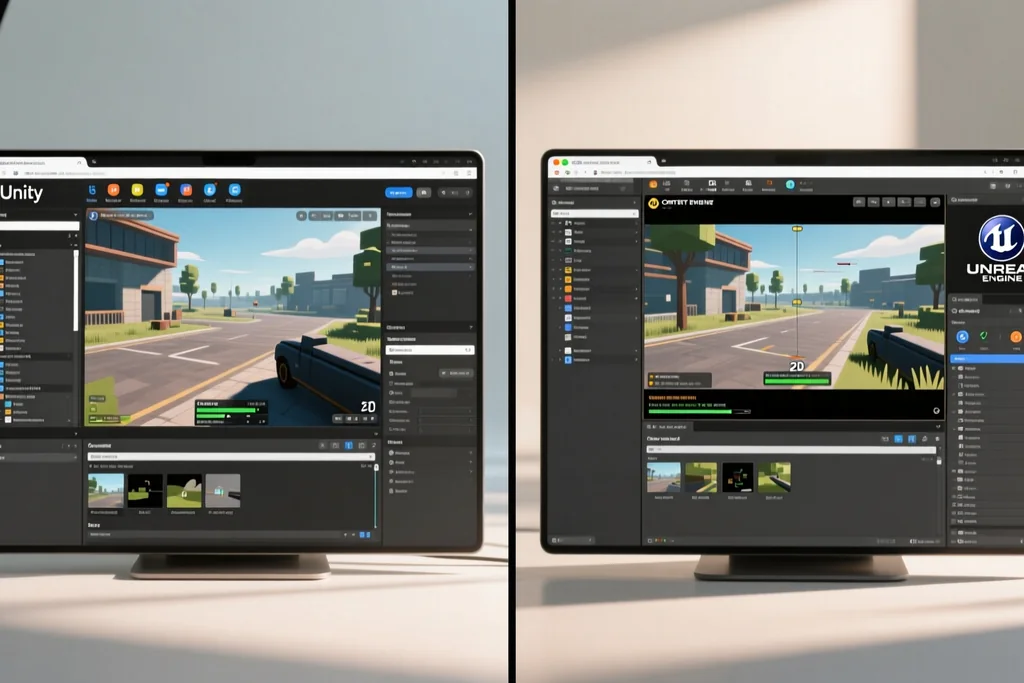
Unity vs Unreal for 2D games in 2026: which saves time
Related guide on this topic.
The bottom line on time
For the majority of 2D games being built in 2026 — platformers, puzzle games, metroidvanias, roguelikes, and casual mobile titles — Unity remains the engine that saves the most time. Its 2D tooling is purpose-built, the workflow is streamlined, the community is 2D-focused, and the deployment pipeline handles mobile and multi-platform shipping efficiently. Unreal is the better choice for a narrow but real category of 2D games: those that prioritize cinematic visuals, target PC and console, and benefit from Unreal's rendering pipeline and visual scripting. The developer who chooses based on the specific needs of their project, rather than on brand loyalty or hearsay, is the one who saves time — and in game development, time is the only resource that cannot be replaced.
Read next
Ver la sección Engines & Tools
Engines that suit solo developers: a practical comparison
What decides which engine carries a single developer.
 Engines & Tools
Godot 4 in 2026: ready for commercial game release?
Is Godot 4 ready for commercial release in 2026? Evaluate rendering, scripting, export capabilities, and real shipped games before you commit.